There is a simple rule for spending money on a desk setup: prioritise the things that touch your body. Chair, keyboard, mouse, and the height of the screen relative to your eyes. Those four decide whether you finish the day sore. Everything else is comfort or aesthetics.
The mistake most people make is inverting that — a beautiful monitor and a lovely desk mat above a dining chair. Six months later the neck pain shows up and no amount of screen resolution helps.
Prices are approximate at the time of writing. Office furniture in particular has a strong second-hand market, and we point out where used is genuinely the smarter buy.
The short version
A used Herman Miller Aeron or Steelcase Leap
Spend here first
Disclosure. The links on this page are affiliate links. If you buy through one we may earn a commission at no extra cost to you. It does not affect what makes this list or the order it is in.
How we picked
We weight ergonomics research, published durability testing and long-run owner reports above design awards. We have not personally used every item here for a full working year. Where the honest recommendation is to buy second-hand or to spend nothing at all, we say that — a stack of books under a laptop solves the same problem as a stand, and we would rather tell you that than sell you a stand.
At a glance
Prices are approximate at the time of writing and change often.
The picks
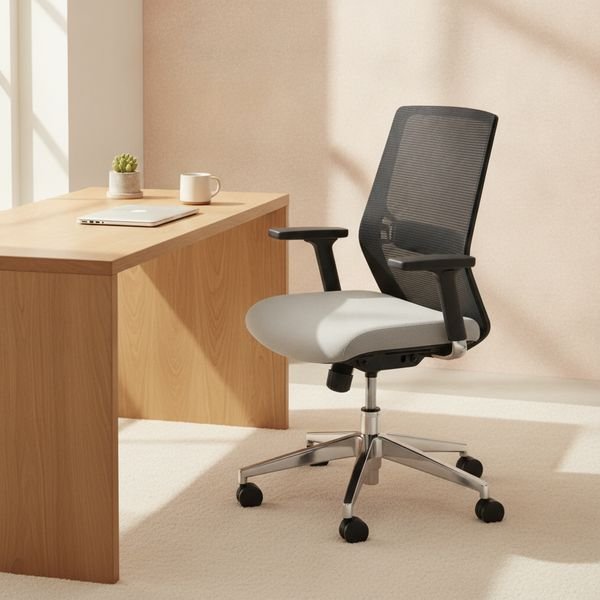
01 · Spend here firstA used Herman Miller Aeron or Steelcase Leap
The chair is the single most important purchase, and the smart move is buying a great one second-hand rather than a mediocre one new. These chairs were built for twelve-year commercial lifespans, they were sold in enormous numbers to offices that no longer exist, and refurbished units routinely go for a third of retail with the important parts replaced. What you are paying for is adjustability — seat depth, arm height and angle, and real lumbar support that meets your back where it actually is. Sit in one before buying if you possibly can, because the Aeron comes in three sizes and the wrong size is worse than a cheap chair.
$300–700 usedTrade-off: Sizing matters — try before you buy if you can
Why it is here
- Built for a decade-plus of daily use
- Deep adjustability fits your body, not an average
- Second-hand pricing makes it genuinely attainable
Worth knowing
- Sizing matters — try before you buy if you can
- Refurb quality varies a lot between sellers
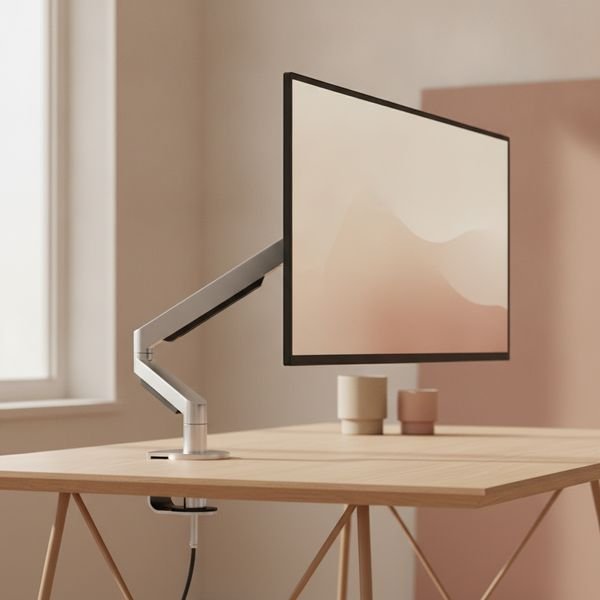
02 · Biggest posture fix for the moneyA monitor arm
Most monitor stands hold the screen too low, so you spend the day looking slightly down and your neck holds your head forward. An arm lets you set the top of the screen at roughly eye level, which is where it should be, and it frees the desk underneath. Check two numbers before buying: your monitor's VESA pattern and its weight, because a gas spring rated below your screen will slowly sag all day. If your desk has a thick or glass top, confirm the clamp fits. This is a cheap fix for a problem that gets expensive if you ignore it.
$40–120Trade-off: Must match VESA pattern and screen weight
Why it is here
- Puts the screen at the right height, permanently
- Clears the desk surface underneath
- Cheap relative to the problem it prevents
Worth knowing
- Must match VESA pattern and screen weight
- Clamps do not fit every desk edge
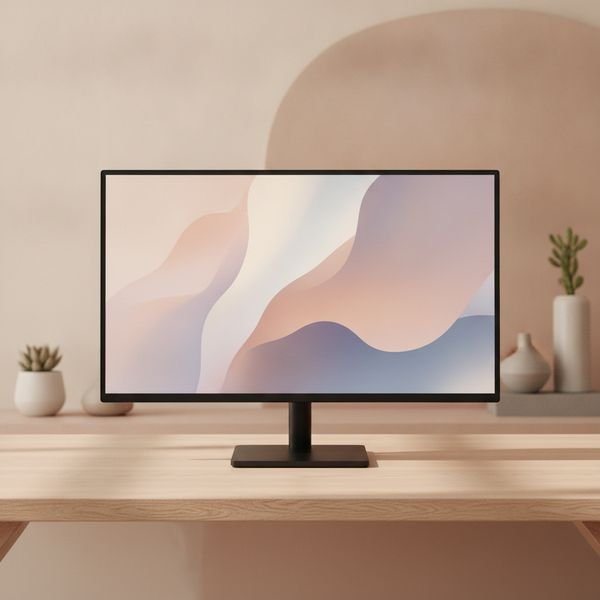
03 · The sweet spotA 27-inch 1440p monitor
This size and resolution is the sweet spot for desk work: text is sharp without needing scaling, and you can genuinely fit two documents side by side. Going to 4K at 27 inches means running at a scaled resolution anyway, so you pay for pixels you then throw away. If your laptop supports it, get a model with USB-C power delivery — one cable then carries video, data and charging, and the daily plug-and-unplug ritual becomes a single motion. Skip the curve at this size; curves earn their keep at 34 inches and wider, not here.
$200–350Trade-off: 4K at this size is largely wasted
Why it is here
- Sharp text with no scaling compromises
- USB-C models reduce the desk to one cable
- Wide, competitive market keeps prices low
Worth knowing
- 4K at this size is largely wasted
- Cheap panels vary a lot in colour uniformity
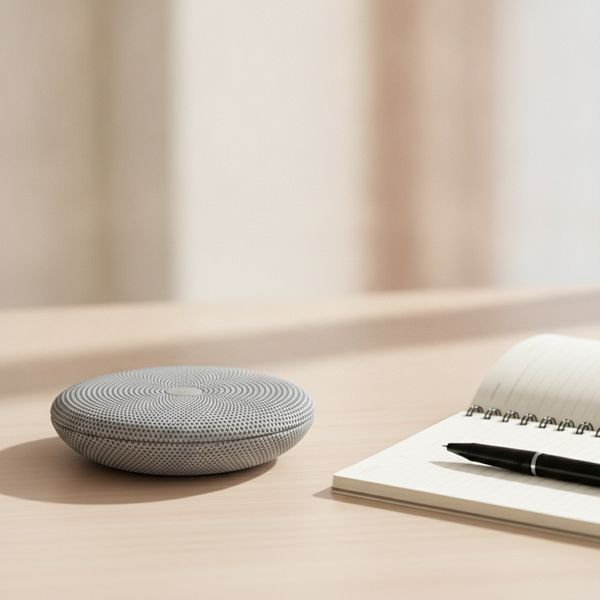
04 · Best call quality upgradeAnker PowerConf or Jabra Speak speakerphone
Laptop microphones are placed next to the fan and pointed at the ceiling, which is why you sound distant and echoey on every call. A dedicated speakerphone with a directional array and echo cancellation fixes that in one purchase, and unlike a headset it does not clamp your head for six hours. If you are on calls all day, this changes how other people experience you more than any camera upgrade. If you are on two calls a week, wired earbuds with an inline mic already solve most of the problem for almost nothing.
$70–150Trade-off: Overkill if you rarely take calls
Why it is here
- Removes echo and the hollow laptop-mic sound
- No headset pressure over long days
- Travels well for hotel-room calls
Worth knowing
- Overkill if you rarely take calls
- Picks up room noise in a shared space
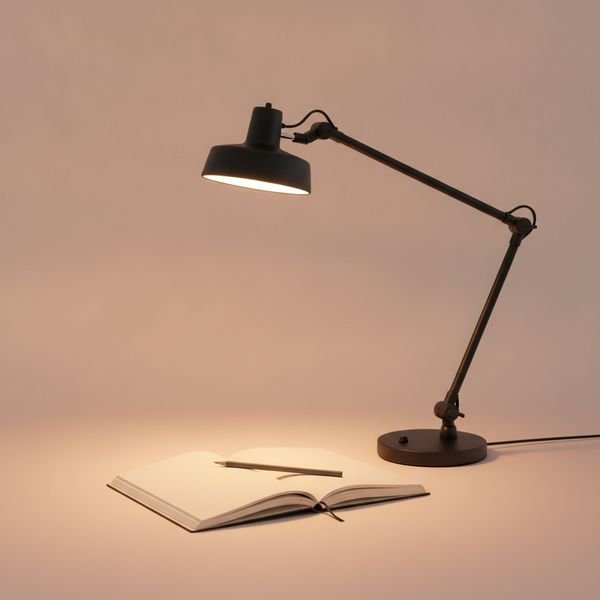
05 · Most underratedA desk lamp with adjustable colour temperature
Working by the glow of a monitor in an otherwise dark room is what makes evenings feel exhausting — the contrast between a bright screen and a dark surround is genuinely tiring for your eyes. A lamp that lights the wall and desk around the screen removes that contrast. Adjustable colour temperature matters because cool light in the morning and warm light after dark suits how your attention actually works. Position it to the side rather than behind you, or you will spend the day looking at its reflection in your own screen.
$40–120Trade-off: Bad placement creates screen glare
Why it is here
- Reduces the eye strain of screen-in-a-dark-room
- Warm evening light is easier to work under
- Frees up ceiling lighting decisions
Worth knowing
- Bad placement creates screen glare
- Cheap LEDs flicker and render colour poorly
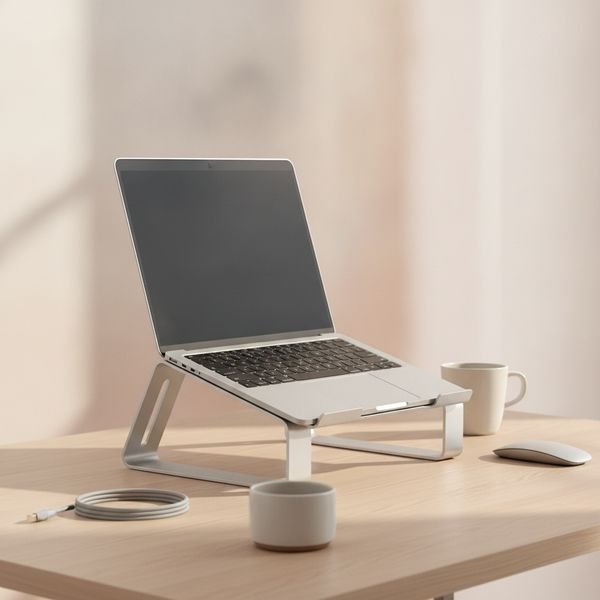
06 · Cheapest fix on the pageA laptop stand, or a stack of books
A laptop forces an impossible compromise: put the screen at the right height and the keyboard is in the air, put the keyboard at the right height and you are looking down all day. Raising the laptop and adding a separate keyboard and mouse resolves it completely. An aluminium stand is tidy and travels, but books work exactly as well ergonomically and cost nothing — the physics does not care what is holding the screen up. Buy the stand if you value the look or need to carry it; otherwise put the money toward the keyboard, which is the half of this fix that actually costs something.
$0–50Trade-off: Only works with a separate keyboard and mouse
Why it is here
- Solves laptop neck strain completely
- The free version works just as well
- Improves cooling airflow as a side effect
Worth knowing
- Only works with a separate keyboard and mouse
- Another thing to carry if you move around
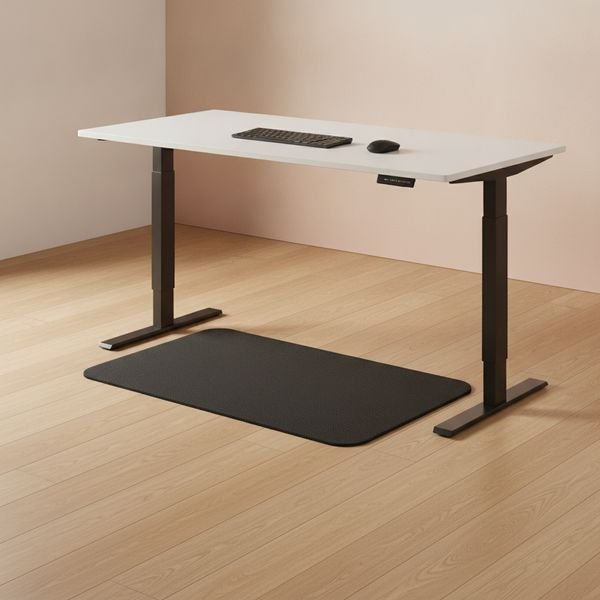
07 · Only if you actually standAn anti-fatigue mat (if you have a standing desk)
Standing on a hard floor for hours is its own kind of bad, and it is the reason most standing desks quietly become sitting desks within a month. A cushioned mat lets you shift weight and fidget, which is the point — the benefit of standing comes from movement, not from being upright. Buy this only after you have owned a standing desk long enough to know you use it. If you are still deciding, note that the research on standing desks is much more modest than the marketing suggests: alternating positions helps, standing rigidly all day does not.
$40–90Trade-off: Pointless without a standing desk
Why it is here
- Makes standing sessions actually sustainable
- Encourages the shifting that provides the benefit
- Cheap next to the desk it supports
Worth knowing
- Pointless without a standing desk
- Gets in the way when you sit back down
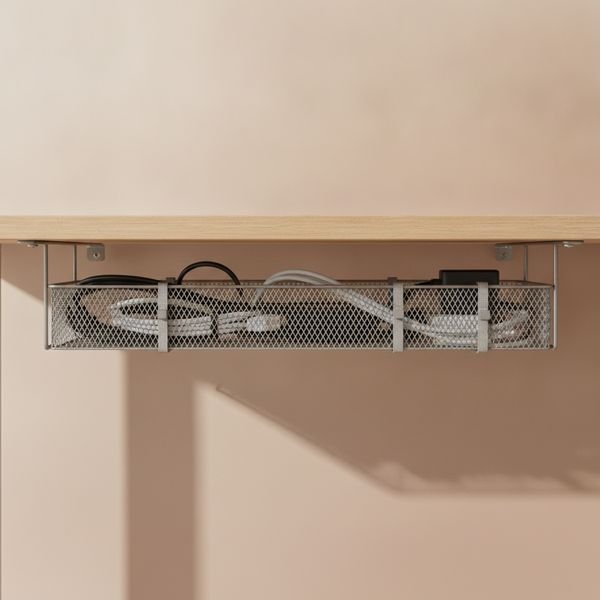
08 · Small effort, permanent payoffCable tray and reusable ties
This is the least interesting item here and the one people are most glad they did. A tray under the desk lifts the power strip and the loose cable runs off the floor, which means you can vacuum properly, move the desk without unplugging everything, and stop kicking the charger out of your laptop. Use reusable hook-and-loop ties rather than zip ties, because the setup will change and cutting a zip tie every time is how a tidy desk reverts. Half an hour, once, and the problem is gone for years.
$20–45Trade-off: Fitting takes a fiddly half hour
Why it is here
- Lets you clean under the desk properly
- Move the desk without unplugging everything
- One-off job that lasts for years
Worth knowing
- Fitting takes a fiddly half hour
- Clamp-on trays do not suit every desk
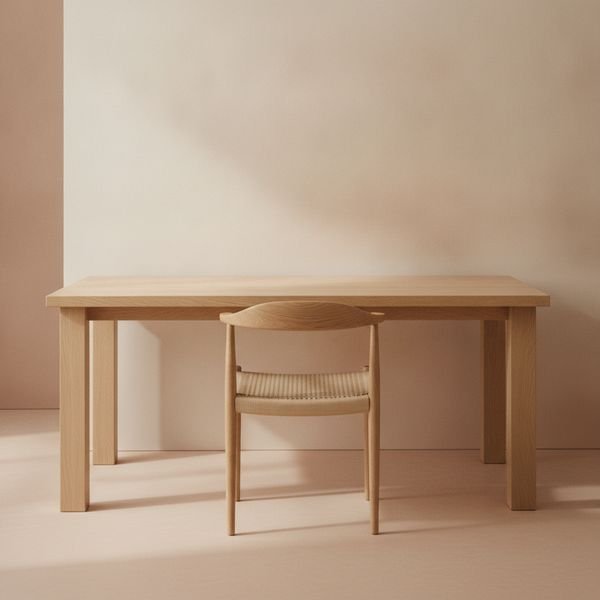
09 · Where not to overspendA second-hand office desk, or a solid door on legs
The desk is a flat surface at the right height. It does almost nothing that a cheap one cannot, which makes it the easiest place to save money and redirect it to the chair. What actually matters is depth — at least 70cm so the monitor can sit far enough away — and rigidity, because a desk that wobbles when you type is maddening. Second-hand commercial desks are abundant, extremely solid and priced to move because they are awkward to transport. Electric sit-stand frames are the one upgrade worth paying for, and only if you will genuinely use them.
$80–400Trade-off: Awkward to collect and transport
Why it is here
- Huge savings versus a designer desk
- Commercial units are extremely rigid
- Money saved goes to the chair, where it matters
Worth knowing
- Awkward to collect and transport
- Second-hand tops often have cosmetic marks
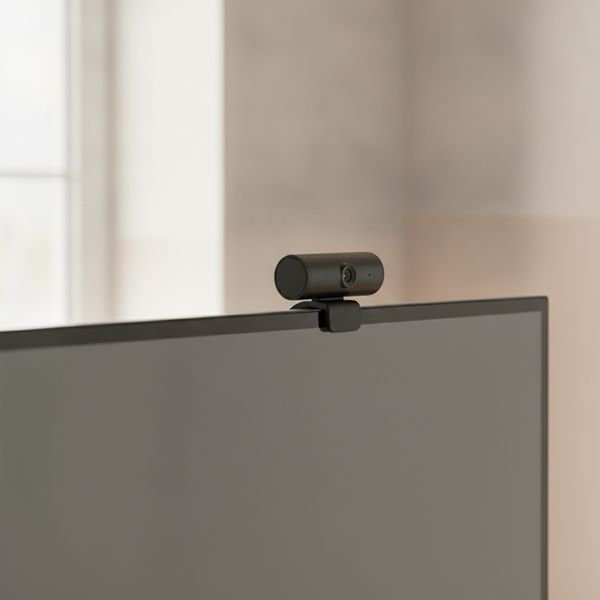
10 · Conditional buyA dedicated webcam, only if the laptop lid is closed
Be honest about whether you need this. Modern laptop cameras are decent, and if your laptop is open in front of you the built-in one is fine. The genuine case is the setup where the laptop is closed in a dock or the screen is on an arm — then you have no camera at eye level, and a clip-on webcam is the only fix. If you do buy, lighting will improve your image far more than sensor resolution: a window or a lamp in front of you beats an expensive camera in a dark room every single time.
$60–160Trade-off: Genuinely unnecessary if your laptop is open
Why it is here
- The only fix for a closed-lid or arm-mounted setup
- Puts the camera at eye level
- Better optics than most built-in cameras
Worth knowing
- Genuinely unnecessary if your laptop is open
- Lighting matters far more than the camera
Common questions
What is the right order to buy things in?
Chair, then screen height, then keyboard and mouse, then everything else. That order follows how much each thing affects your body over a working year.
Are standing desks worth it?
Alternating between sitting and standing is better than either alone, but the health benefits are far smaller than the marketing implies. If a standing desk is a stretch, a timer that reminds you to get up delivers most of the benefit for free.
One big monitor or two smaller ones?
Two screens if you constantly reference one thing while working on another. One wide screen if you mainly want more room in a single application. Two is usually the more flexible choice for office work.
Is an expensive chair really worth it if I only work from home two days a week?
Then buy used rather than new. A refurbished commercial chair at a third of retail is the right answer for part-time use — you get the adjustability without paying for a warranty you will barely consume.
Today's deals
See what is discounted right now.
Deals →← All guides
As an AliExpress affiliate we earn from qualifying purchases. Prices and availability are accurate as of the date of publication and may change.